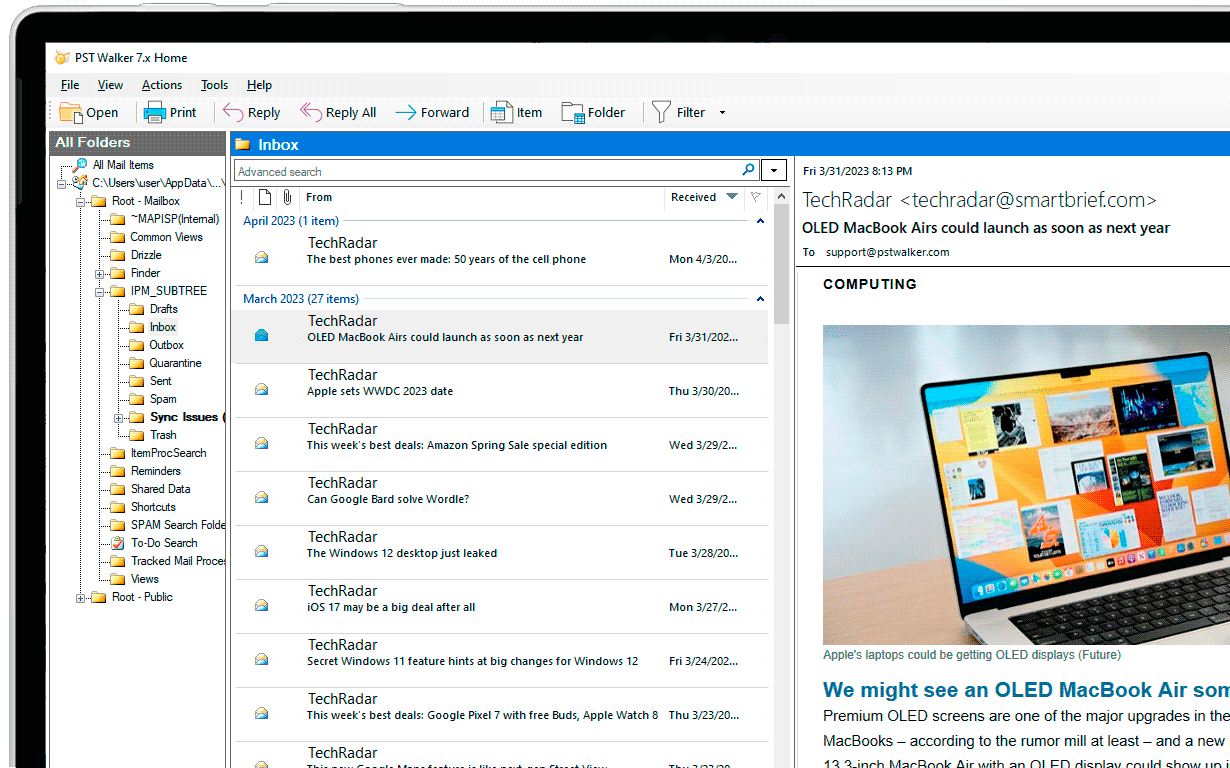
Open all your Outlook Data Files
Whether it's an archived, corrupted, or orphaned Outlook file, OST PST Viewer opens all types of Outlook data files – .pst, .ost, and .msg – without accessing Outlook.
- Open Corrupt PST Files: No need to worry about repairing corrupt Outlook data files to view their content. The tool scans and repairs every PST file, ensuring you can access your content.
- Open Password Protected Files: Access PST files without requiring a password, and in cases where the password is forgotten, you can still get access to the file.
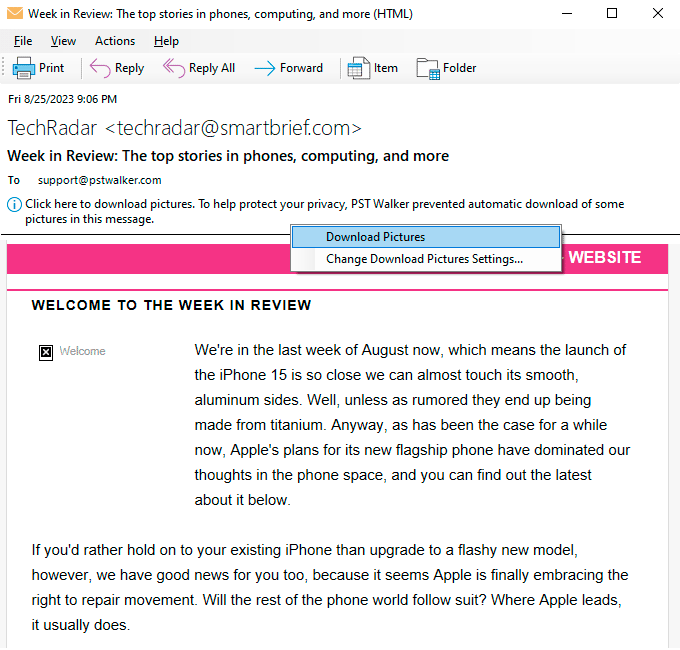
- Protect the privacy of an email message: Support for digitally signed and encrypted secure messages, as well as Active Directory/Exchange x.500 email addresses.
- PST File Locations: You have the flexibility to open any .pst or .ost file, or select a data file from the list of the recently opened files in Outlook.
- Single or Multiple File(s) Selection: You have the flexibility to open Single File or Open Multiple File(s) options. This will save you from repeating the process when you need to access a different PST file.
- Support for Various Encoding Settings: Ensures accurate display of regional characters (such as ü, ä, ø, etc.) and Asian language characters in emails.
- Recover Deleted Emails and Folders: Restore accidentally deleted emails and folders, and items that are no longer associated with any folder in Outlook (orphaned items). Learn more...
- Recover Rules and Alerts: Recover disappeared Rules and Alerts in Outlook and export the rules to .rwz file. Learn more...
PST Walker Portable Version (.zip) - No installation required
Search and Filter All Outlook Items
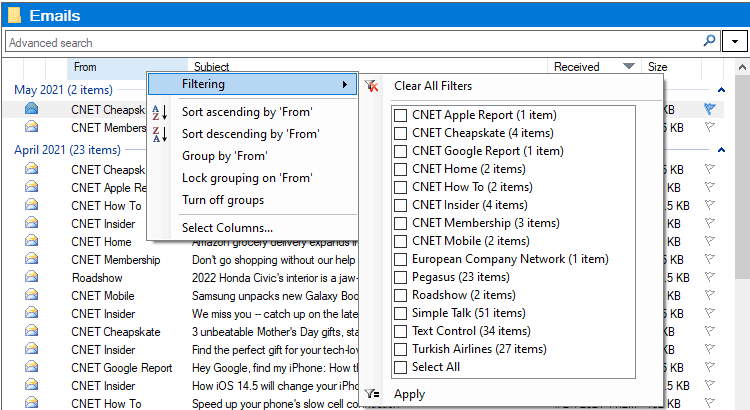
Whether you're in search of an individual email or attempting to recognize patterns within your email data, PST Viewer provides the necessary tools for a swift and precise analysis of your Outlook Data Files.
- Advanced Search: Scans both email messages and attached emails. Use various boolean operators and functions to refine your search results. Learn more...
- Built-in search filters: Select Filtering to swiftly refine your search results based on criteria such as sender, subject, date range, message size, and more. Learn more...
- Keyword search: Select a category from the Filter drop-down menu to further filter your search results: From, Subject, Unread, Has Attachments, Sent To, Received and more. Learn more...
- Recent Searches: Rerun recent searches efficiently due to highly optimized search algorithms, which reduce your waiting time for results.
Export emails from Outlook
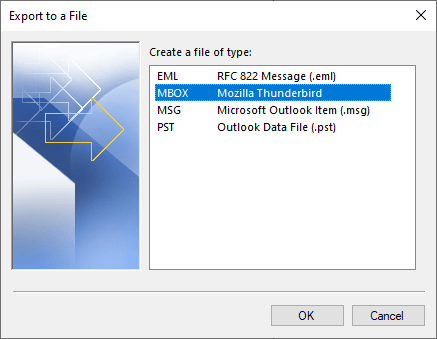
Whether you want to export emails and attachments in bulk or convert your emails, calendar, contacts, and tasks to various file formats, PST Walker Viewer offers powerful functionality for exporting and backing up items from .pst and .ost files.
- Cross-platform File Formats: Convert items to .pst, .mbox (Thunderbird), .msg, and .eml file formats.
- Customizable File Names: Create unique file names with advanced macros and personalized configurations.
- Export Options: Preserve folder structures from the source files, skip empty folders, save Internet transport options, and more.
- Detailed Logging: Maintain detailed records of the processing activities for transparency and troubleshooting.
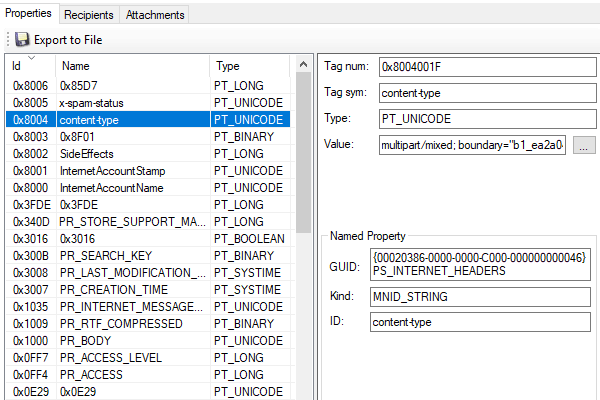
HEX Analysis of PST Files
Outlook data files (.pst and .ost) contain numerous metadata fields (MAPI properties) that can be useful for digital forensic analysis of emails.
PST file specifies five storage elements, each representing one major component of the Message object and a number of streams are contained within those storages, each stream representing a property (or a set of properties) of that component.
The storages are: Recipient object storage, Attachment object storage, Embedded Message object storage, Custom attachment storage, Named property mapping storage.
Email fraud investigationHow it works?
Step 1: Launch PST Walker and select the folder in the All Folders pane.
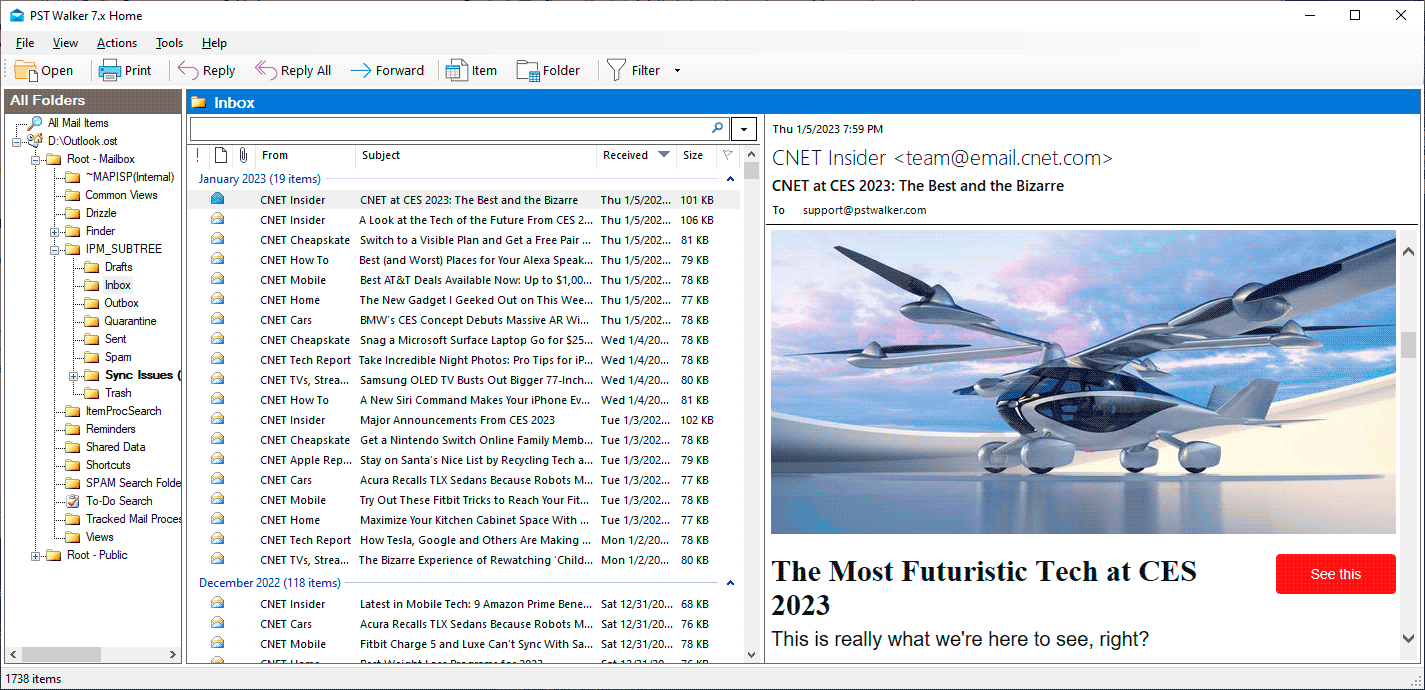 PST Walker Viewer: Guide
PST Walker Plans and Pricing
| Top Features | DEMO Version | FULL Version |
|---|---|---|
| Open and View Outlook PST, OST, MSG & EML files | ||
| No File Size Limit | ||
| Print selected emails | ||
| Reply and Forward using default email client | ||
| Multiple Preview Modes | ||
| Email Search & Filters | ||
| Open and View email attachments | Trial message | |
| Export emails to PST, MSG, EML, MBOX & CSV | 15 Emails per Folder | All |
| Cost | Free | Prices starting at $32.95 |
| View All Pricing Plans |
Frequently Asked Questions
Have questions about PST Walker? Find answers to the most common queries below.
PST Viewer
-
Outlook is not required: PST Viewer is a free tool for viewing the content of PST files. Read email messages, view attachments, see contact details, and check calendar events within PST files.
-
Viewing Capabilities: PST Viewer allows you to browse through emails, contacts, and other items within PST files.
-
Limited Editing: PST Viewer software offer basic editing features, like the ability to reply to or forward emails, but the editing capabilities are limited compared to a full-fledged email client like Microsoft Outlook.
-
Read-Only: Generally, PST Viewers are designed for read-only access to PST files. You can't perform advanced tasks like sending emails or creating new items.
-
User-Friendly: PST Viewer tools are user-friendly and are suitable for individuals who just need to access the contents of PST files without advanced email management features.
PST Walker
-
Advanced Functionality: PST Walker is more feature-rich and offers more advanced capabilities than a basic PST Viewer. With this software, you can access .pst and .ost files, extract emails and attachments in bulk and convert your email, calendar, contacts, and tasks to various file formats.
-
Forensic Analysis: PST Walker is often used in digital forensics and e-discovery scenarios. It provides advanced search, analysis, and reporting features for investigating and analyzing PST files.
-
Powerful Searching: PST Walker allows for deep and granular searching within PST files, including searching for specific keywords, dates, attachments, and more.
-
Export and Conversion: PST Walker offers both UI and command-line options to search and export Outlook Data Files (.pst and .ost) into various formats, such as PST, EML, MSG, and MBOX (Thunderbird).
-
Metadata Analysis: In addition to the actual email content, PST Walker allow you to analyze and extract metadata from PST files, which can be useful for investigations.
In summary, if you simply need to view the contents of PST files, a PST Viewer should suffice. However, if you're looking for advanced features like forensic analysis, advanced searching, and data extraction, PST Walker would be the better choice.
Note: In Outlook 2013 and earlier versions, IMAP accounts also used an Outlook Data File (.pst). In Outlook 2016 and Outlook for Microsoft 365, IMAP accounts use Offline Outlook Data Files (.ost).
You can also use an Outlook Data File (.pst) to backup or export items from any type of email account.
- On the File menu, click Open.
- Click the .pst file you want to open, and then click OK.
- On the File menu, click Outlook Data Files.
- Choose the .pst file you want to open from the list, and then click Open.